Azure AI Agentic Retrieval with Foundry IQ


When agents in Microsoft Foundry need to retrieve information from a number of data sources, they use LLMs to make choices as to which knowledge sources are searched through a set of subqueries based on the complexity of the prompt.
Agentic retrieval means that the agent is given the options to use common tools through the use of MCP connections so that we don't have to be writing custom code to manipulate the knowledge sources that hold our data. I took a view on how to make an agent that can retrieve data agentically from existing Blob Storage and Azure AI Search instance (on Basic Tier) and discovered a few things that we can explore here.
The Data
I started by transforming some data from the US Department of Energy and the official manufacturing related projects associated with it. I partially synthesised the data from the DOE with AI tools, and came up with json data in the shape of the the raw manufacturing data, policies around them and some FAQs that the 'public' or interested stakeholders would want to have a view into. Here are the files that were individually stored in Azure Blob Storage:
Microsoft Foundry AI Agent setup
I opened up Microsoft Foundry and created a Text based Agent first, using gpt-5 as the model. I gave it the following instructions:
"You are a helpful customer support agent for the xdoe corporation they must use Foundry IQ to answer all questions from the user. You can never answer from your own knowledge under any circumstances whatsoever. If you do not find information from the knowledge base to answer the question , you must say "I don't have information on that". Always list your sources at the end of your response ".
I also created a new text embedding model in Microsoft Foundry (OpenAI text-embedding-3-large) as this would be needed for vectorising text when referenced later on in Azure AI Search SkillSets in the indexing process for this work as we have learned in my previous post.
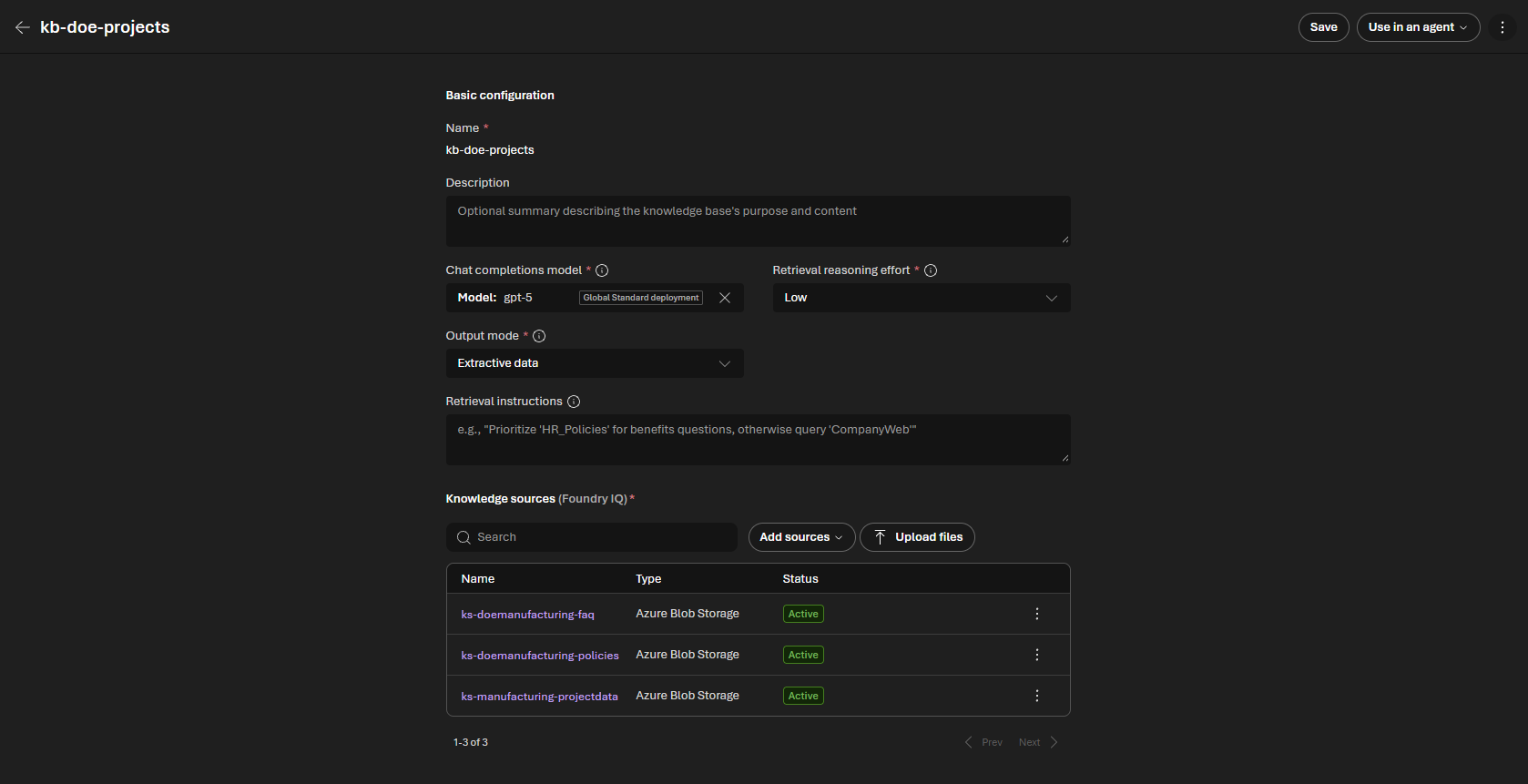
I added the Knowledge Sources to the Knowledge Base as Blob storage files:
Architecturally, this is what happens within Azure when the Knowledge sources are created from Microsoft Foundry. It is largely the same as we learned in the previous post but introduces Foundry IQ (an MCP Service), Knowledge Bases and Knowledge Sources:
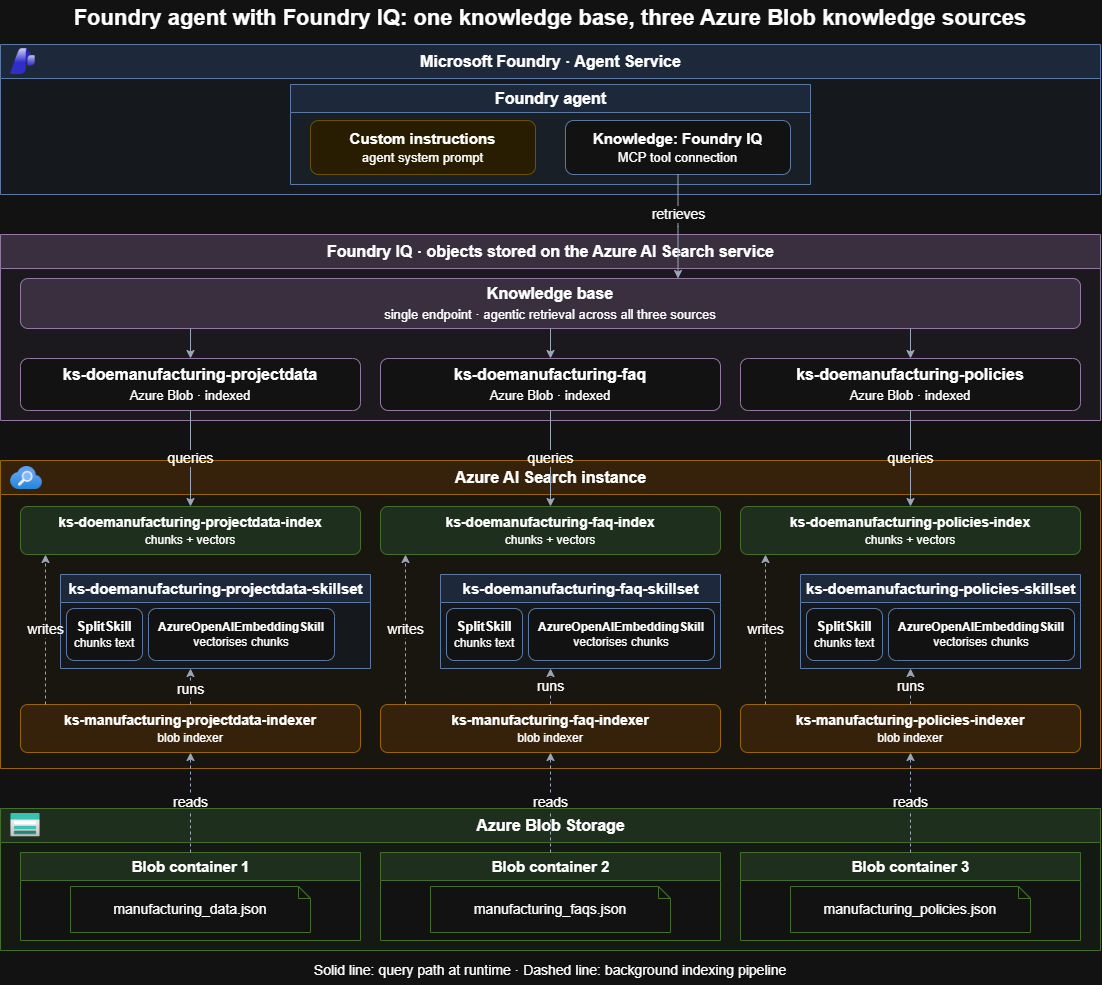
As you can observe, the Microsoft Agent will reach into Azure resources through the use of Foundry IQ (which in itself is an MCP resource). The beauty here is that the creation of the Knowledge Sources sitting within the Knowledge Base automatically wires up the pre-existing Azure AI Search instance with newly created Azure AI Search Indexes, Indexers , Skillsets definitions, and even the Azure AI Search 'Data Sources'. The Azure AI Search Skillsets reference the Embedding model in Foundry as mentioned before. These skillsets use a combincation of a SplitText skill (to split json documents into manageable chunk for better focussed vectors in the indexing process), and an AzureOpenAIEmbedding Skill as required to vectorise text.
Note that this specific auto-creation of these particular resources in Azure in the ingestion pipeline is largely based on the Data Source (Blob Storage in this case), and therefore should not be expected when using different data sources. These are the resources in the Azure Portal made for me:


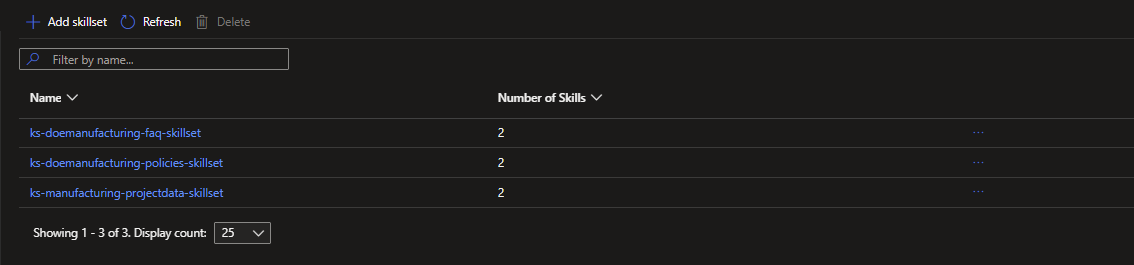
Testing the Agent in Microsoft Foundry
After the I saved the configuration of the Knowledge Base, it was time to give the Agent a spin with a a query that would agentically search across our Knowledge Base and make intelligent inference and tool calling to retrieve the information we are looking for in accordance to the system message noted before:
"Which DOE manufacturing programs in the dataset might be relevant to a manufacturer seeking support, how can I find current funding opportunities by agency or topic, and what U.S. manufacturing requirements could apply if a resulting invention is funded by DOE? Compare U.S. Preference with U.S. Competitiveness, and cite the source for each part."
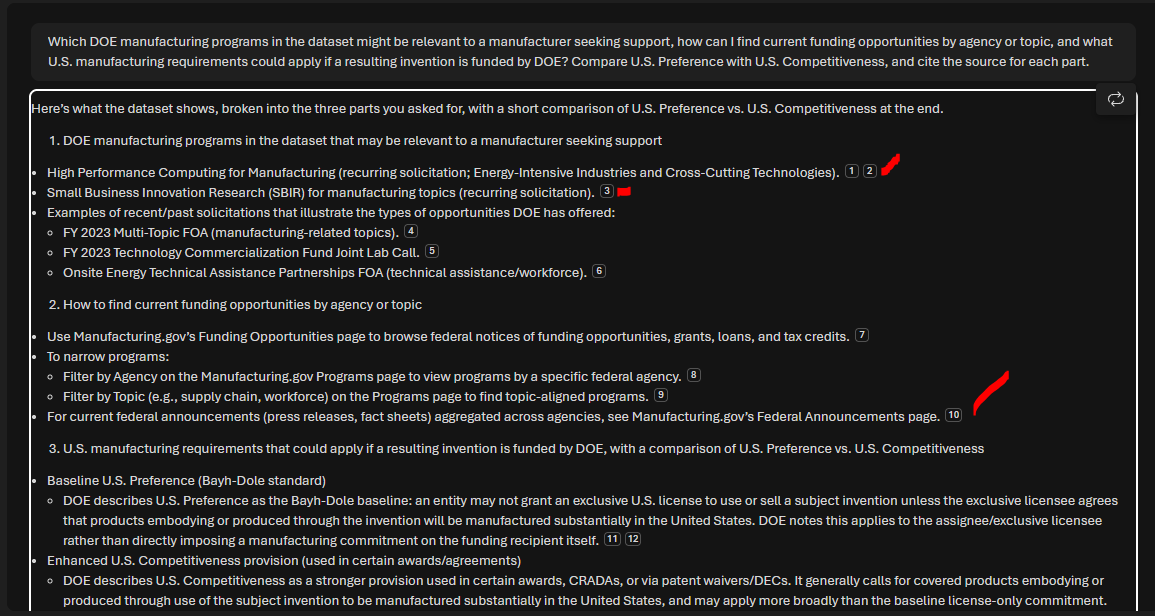
And in conclusion, the agentic retrieves information across the data with correct citations, illustrating how we do RAG in Microsoft Foundry to get answers that are grounded in known information.
This text AI Agent can be deployed to Teams and Microsoft 365 or as a standalone web app
REMEMBER TO DELETE YOUR UNUSED RESOURCES WHEN COMPLETED!!!